 TheWoWDB
TheWoWDB Companion Addon
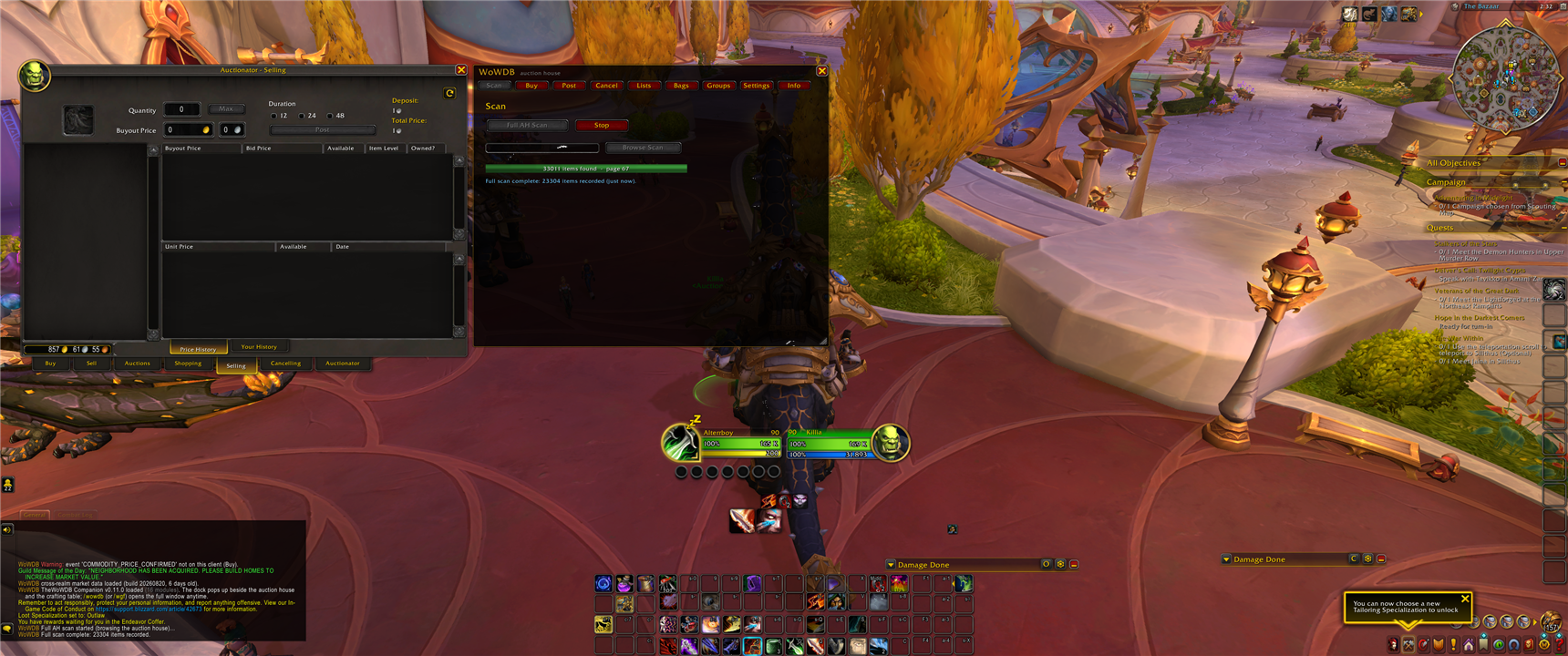
TheWoWDB Companion is a free World of Warcraft addon. It puts cross-realm Auction House prices on item tooltips, and docks a scan, post and cancel panel beside the auction house instead of on top of it. The Lua is readable and nothing in it is obfuscated.
 Get it
Install from CurseForge. The normal route, and the CurseForge app keeps it updated.
Or download TheWoWDB Client, a small Windows app that installs the addon into every WoW client on the machine and, unlike CurseForge, refreshes the packaged prices between addon releases. The section below explains why that difference matters.
After installing, fully restart World of Warcraft if it was running. The game reads its addon folder at launch, so /reload will not pick up a newly installed addon.
Current release 0.12.3, built for retail 12.1. Release notes and older builds.
 Prices on the tooltip
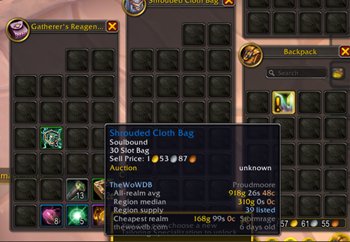
Hover an item in your bags, at a vendor or in the auction house and the tooltip picks up four lines the game does not carry: the all-realm average, the region median, how many are listed region-wide, and which realm is currently cheapest for it.
Those lines come out of the market snapshot shipped inside the addon, so they work with the auction house closed and on a realm you have never visited.
 In the auction house
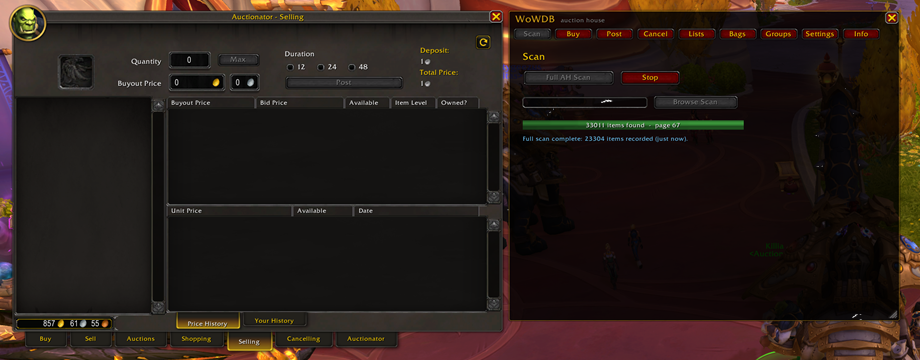
The dock anchors to the side of the auction house rather than over it, so Blizzard's frame and Auctionator both stay usable. Nine tabs: Scan, Buy, Post, Cancel, Lists, Bags, Groups, Settings and Info.
A full scan walks every page and records what it finds. Posting follows your own undercut and floor rules, Cancel clears everything undercut in one pass, Bags values what you are carrying at vendor price and at market, and Lists keeps your saved shopping lists.
Buying, posting and cancelling stay one click each. Blizzard protects those calls, and the addon never fires them for you.
The same snapshots sit behind the Auction House browser, Cheapest Realm, item prices and materials on this site.
 At the crafting table
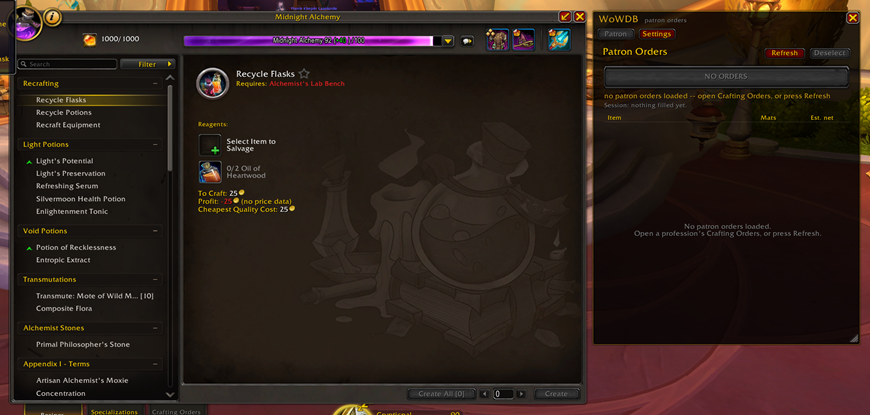
Open a profession and the dock anchors beside the crafting frame and closes with it. Each recipe picks up three lines under its reagents: cost to craft, profit, and the cheapest quality the recipe can be made at. Where the snapshot has no price for a reagent the line says so instead of guessing a number.
The Patron tab reads the Crafting Orders page you have open and lists each order with its reagents and the estimated net after the commission, so you can see which order is worth filling before you claim it.
 Why prices go stale, and what the client fixes
WoW addons cannot make web requests. Blizzard blocks it. Every price addon therefore ships a snapshot of the market baked into a Lua file, and that snapshot is only as fresh as the last time something on your PC rewrote it. No addon can fix this from inside the game, and the same ceiling applies to every competitor.
TheWoWDB Client is the piece outside the game. It refreshes the packaged market data in the background, so tooltips keep pace with the market instead of drifting until the next addon release. It sits in the system tray, holds no account, and its whole network footprint is a manifest, an addon and a price file. The source is on GitHub.
 The addon and the site are one database
The tooltip lines, the dock's scan results and the pages on this site all read the same hourly Auction House snapshots. The addon is that data where you are standing; the site is the same data with history, depth and search attached.
The site publishes a weekly economy report out of those snapshots: the commodities that rose and fell over each ISO week, the most-traded materials, and the WoW Token trend, with the method and the sample stated on every page. Those figures may be quoted with attribution and a link, so a guide or a post can cite a week directly.
Going the other way: the item, material and realm pages carry the price history and supply depth the addon cannot fit in a tooltip. Auction House browser, Cheapest Realm, Token tracker, weekly reports.
 House rules
Free, source visible, nothing obfuscated. No in-game ads, no donation prompts, no paid tier. No automation of protected actions: every buy, post and cancel is your own click.
 Questions
Bug reports, wrong prices and feature requests go through the Contact page. TheWoWDB is not affiliated with or endorsed by Blizzard Entertainment.