 TheWoWDB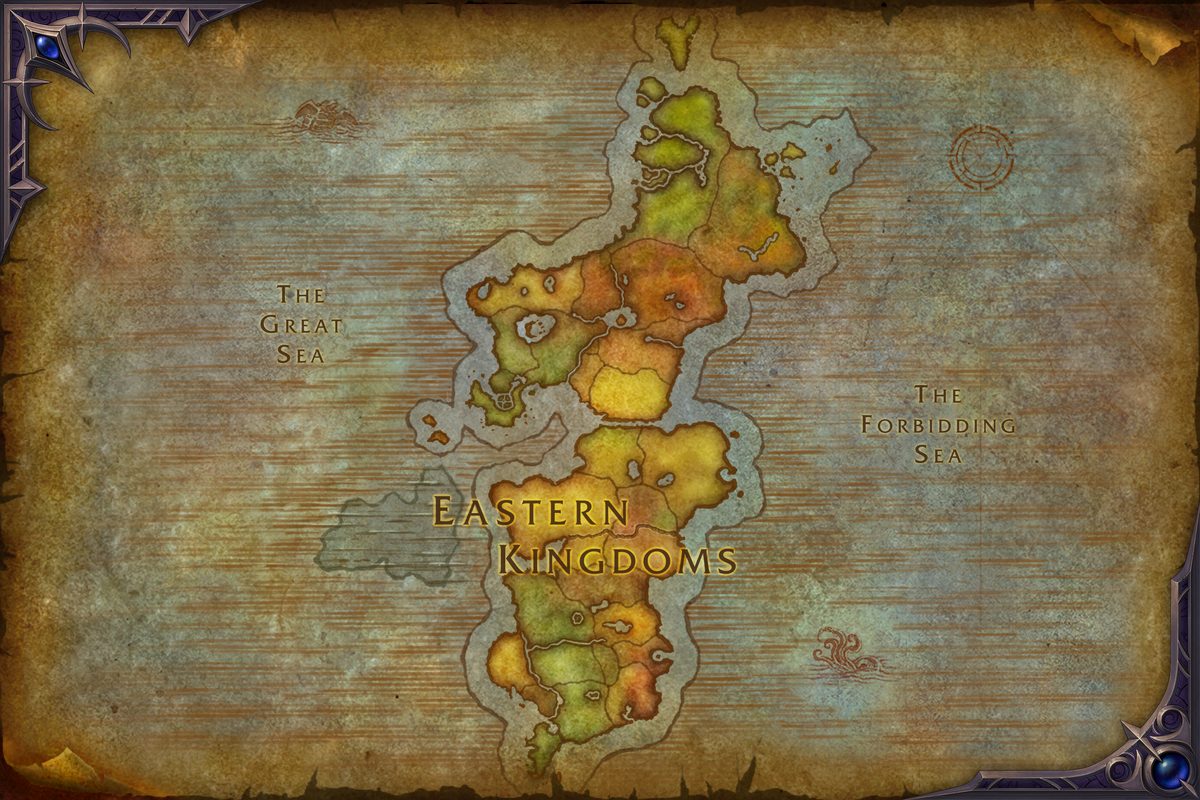
World of Warcraft
WoW Game Objects
Named objects the current game client ships: scenery doodads, multi-state building props, interactables and gathering points - 1,860 distinct objects.
Scope note: this is the game client's own object data - placed scenery, building props, interactables and gathering points. Live reference guides for herb, ore and fishing-pool nodes are on the farming pages.
Where the objects are
Named object placements in the current client cache, by the map that owns them.
| Map | Objects | Placements |
|---|---|---|
| Eastern Kingdoms | 446 | 2,918 |
| Khaz Algar (Surface) | 64 | 1,628 |
| Kalimdor | 223 | 1,489 |
| Kul Tiras | 307 | 1,252 |
| The Rookery | 45 | 1,031 |
All Objects (1,860)
Datamined from the current retail game build. Tap a type button above to filter. A further 354 garrison and cornerstone building props are near-identical siblings of each other and sit behind the Building variants button.


WoW Game Objects: Interactables and Environmental Props
Game objects in World of Warcraft are the things you click that are not NPCs. They include herb and ore nodes, fishing pools, chests, quest objectives, mailboxes, forges, anvils, cooking fires, doors, levers, altars, portals, and countless environmental props scattered across every zone. Objects are how you gather materials, complete quests, craft gear, and interact with the world. TheWoWDB database stores detailed information about every object the game client ships, so you can understand what these things are, how they work, and where to find them.
What counts as a game object
A game object is anything you can interact with that is not a creature or an NPC. If you right-click it or walk over it and see an interaction prompt, it is an object. Objects are stateless scenery (like trees or boulders) or interactive (like a mailbox or a mining node). The game engine distinguishes them from NPCs because they cannot move, cannot have a conversation, and cannot be targeted in combat, though some objects can phase in or out depending on quest progress, phase, or faction control.
The database catalogs many distinct object definitions from the current game build. Many of these sit in multiple places on the map, so the total count of individual object placements is much higher. Not every object is clickable or useful to players. Some are purely visual, placed in the world to build atmosphere or mark a named location. Others are tied to quests and only appear or become interactive during that quest. A few are remnants from old content, deprecated but still present in the game files.
Objects serve several core functions. Gathering objects let you extract resources: ore, herbs, and fish. Quest objects are things you click or loot to advance a quest. Functional objects like forges and anvils allow you to craft. Doors and gates control access to areas. Portals teleport you across the map or between zones. Interactive props like chairs or tables have no mechanical value but add flavor and immersion to the world.
Objects differ slightly across WoW versions. currently in beta, may have different sets of objects than Classic Era or retail. Some quest objects only exist in retail; some exploration objects only in Classic. Objects tied to specific expansions (like Outland portals) vary by version. When searching the database, results reflect the current retail game build. If you play on a Classic realm, some objects may not exist or may be in different locations. Cross-version comparison is difficult without separate databases for each version.
Gathering objects: mining, herbalism, and fishing
Gathering professions depend on objects. Mining nodes contain ore; herbalism nodes contain herbs; fishing pools contain fish. These objects respawn after a set time once you loot them. They are the backbone of material farming and economy in Warcraft. Mining and herbalism nodes appear as visual objects in the world that you click, and the game grants you a loot window. Fishing pools are water-based objects that you cast into. All gathered /materials/ link back to their source objects.
The /farming/ section of this database provides live reference guides for where to find these nodes. Object pages on this site do not list respawn timers or node locations; that information belongs on the farming and material pages. If you want to know where ore spawns or which herbalism nodes are most efficient, check the farming guides. Object pages here focus on what the object itself is and its data structure.
Gathering object respawns vary by realm type. On normal realms, a node respawns after a few minutes once looted. On PvP realms, respawns are often faster and competition is higher. On seasonal events, limited gathering nodes appear for the duration of that event only. Some rare nodes only spawn in specific phases or time windows. Leveling herbalism and mining often requires roaming zones repeatedly to find enough nodes, so understanding node distribution and respawn mechanics is practical knowledge.
For efficient farming, understanding where objects spawn and how they respawn is crucial. Efficient farming routes take you past all nodes in a zone in a logical path. Some farmers create addon routes or use websites that show optimal node paths for each zone. The /farming/ guides consolidate knowledge about which nodes spawn where and how to farm them efficiently. The database does not track spawn timers or node density, but it does show you where objects are defined. Cross-referencing database objects with farming guides gives you the complete picture of where to farm and how often nodes respawn.
Quest objects and quest interactables
Many quests require you to interact with objects rather than NPCs. These might be boxes to loot, levers to pull, altars to activate, or props to examine. Quest objects only become interactive when you have the quest in your log, or they only exist in the phase associated with that quest. Once you complete the quest, the object may disappear, become inert, or change its appearance and function.
Quest object interactions range from simple click-to-loot to puzzle mechanics. Some require you to interact multiple times or in a specific sequence. Others are hidden or require you to be in a specific location on the map. A few quest objectives involve destroying an object or channeling on it over several seconds. When you are working through a quest and see an object prompt, that object is the quest step. If an object page exists in the database, it will link to any /quests/ that use it.
Doors, gates, and access control objects
Doors and gates are objects that control access to areas. Some doors are always open; others are locked or require a key or quest item. Doors in dungeons, raids, and instances often lock after the encounter inside is triggered, preventing players from leaving and returning freely. This is a design tool to enforce engagement and prevent skipping fights. Some doors unlock after you defeat a boss or complete an event.
Gates and barriers serve similar functions. They might be closed during a quest scenario and open after a certain objective is complete. In PvP zones, faction-controlled gates might open or close depending on who controls that area. Some gates have visual states (closed, open, damaged) and changing their state is part of the encounter or quest narrative. Understanding whether a door is locked permanently or just for the current phase helps you plan your route through an area.
Functional craft objects: forges, anvils, and cooking fires
Forges, anvils, and cooking fires are objects that enable crafting. A forge is where blacksmiths work. An anvil lets you apply blacksmithing and engineering recipes. A cooking fire lets you cook recipes. These objects are placed in cities, camps, and quest areas. They are purely functional: you must be standing near one to use certain crafting recipes. See /recipes/ for the full list of what each object can produce.
Not all recipes require an object. Tailoring, leather working, and many other professions work from your inventory. Herbalism, mining, and fishing require being at the resource. But blacksmithing, engineering, and cooking often demand you find a functional object and interact with it. In cities, these are always available. In the field, you may need to find a firepit or makeshift forge. Some quest lines involve crafting at a specific location as part of the storyline, forcing you to use that object rather than a city facility.
Interactive environmental objects and flavor props
Not every object is useful to your class or profession. Many are placed purely for atmosphere. A chair in a tavern, a bookshelf in a library, a weapon rack in an armory, a well in a town square. These objects may be clickable but offer no mechanical reward. Some provide a temporary visual effect or animation. A few have flavor text that tells a story or joke. These props are cataloged alongside functional objects on /objects/ for completeness.
These props are not wasted data. They define the character of a zone and make the world feel lived-in and detailed. They also function as landmarks. If a quest says "north of the giant tree near the well," that well is a memorable object you can spot and navigate by. Exploring a zone and interacting with environmental objects is part of appreciating the art and design of World of Warcraft.
Object types and categories
The database organizes objects into categories. The most common are doodads: stationary visual and interactive props. Named locations are sets of objects that mark a place on the map, like a town or landmark. Building variants are garrison and cornerstone housing props that are technically different objects but visually similar. Some objects are classified by their function: altars, anchors, armories, banners, barrels, benches, braziers, and hundreds of other specific types.
Understanding object classifications helps you search the database and find what you are looking for. If you know an object is a "doodad" or a "named location," filtering the database by type narrows your search. The database also groups objects by the map they are placed on, so you can see every object in Eastern Kingdoms or a specific zone. This structure makes it fast to find an object by name or browse all objects in an area.
Each object has a unique ID number. This ID is how the game engine and the database refer to the object internally. You do not need to know object IDs for normal gameplay, but they are useful for wiki editors, addon developers, and dataminers. Object IDs are permanent and do not change between patches, so they are reliable references for technical documentation. The database stores object metadata: the ID, name, type, model, sounds, animations, and placement data. A single object definition can be placed many times across different maps. When you search the database by object name, you find one object definition and see how many times it is placed. When you search by map, you see all objects placed on that map. This structure makes the database queryable and searchable in multiple ways. Object pages sometimes include technical data like model IDs, animation sets, or attachment points, which is most relevant to addon developers and content creators who want to replicate or reference objects in custom tools or macros.
How objects relate to other game systems
Objects connect to quests, farming, zones, and professions. Many objects are listed on /item/ pages when they are related to a recipe or drop. A quest page on /quests/ may link to the objects you interact with during that quest. A zone page on /zones/ lists notable objects in that zone. A profession page on /professions/ shows the gathering nodes and craft objects relevant to that skill. /enchants/ and /spells/ pages may reference objects that enable their use.
Objects also appear in event pages. Darkmoon Faire has dozens of interactive objects unique to that event. Holiday quests use temporary objects. Raid encounters sometimes involve interactive objects that are part of the fight mechanics. By linking objects to these systems, the database lets you understand the full context of what an object is and how it fits into the game world.
Reading an object page and finding objects on the map
An object page displays the object name, ID, type, and any additional metadata. The name is the string you see when you hover over the object in the game. The ID is a unique number the game engine uses to identify it. The type categorizes it as a doodad, named location, building variant, or other class. If an object is a gathering node, the page will not list specific locations, drop rates, or respawn timers; those details belong on the /farming/ reference guides. If an object is linked to quests, those quest links appear on the page. If the object has visual states or phases, that information is documented. Pages aim to be concise and factual, showing what the database knows about the object rather than everything about the object's context.
The database organizes objects by map, so you can explore all objects in a specific zone. If you are curious about what makes a particular zone feel the way it does, browse all objects placed there. You will see the full architecture of environmental design: how decorative objects and interactive ones are distributed across the world. If you are looking for all forges in the Eastern Kingdoms, filter by object type and map. If you want to see all quest objects in a zone, search by map and browse the results. If you are trying to find a specific named location, search by name. The database gives you multiple paths to the information you need. Zone maps also show object placement visually in many cases, allowing you to see clusters and patterns. A town will have a dense cluster of building props and functional objects, while a farming area will have scattered gathering nodes.
Searching for objects and common mistakes
The database lets you search objects by name, type, map, and placement count. You can filter to show only named locations or only doodads. You can browse all objects on a specific map like Kalimdor or Eastern Kingdoms. You can sort by placement count to find the most common objects (like banners or barrels) or the rarest. If you are designing a quest or building a fan site about a specific area, browsing all objects in a zone helps you understand what is already there. If you are looking for a specific well, forge, or altar, searching by name is fast. Advanced players sometimes use the object database to find environmental clues or Easter eggs hidden in the game world.
A common mistake is confusing an object with an NPC. You see something in the world, right-click it, and get an interaction prompt. If it is an object, the prompt will say something like "Loot," "Mine," "Use," or a specific quest action. If it is an NPC, the prompt is a name and "Talk to." Objects cannot be targeted; NPCs can. Objects do not move or have combat health. If you are uncertain, check the /database/ to see whether it is listed as an object or a creature.
Another mistake is missing a quest object because it is not visible in your current phase or quest state. Quest objects only appear or become interactive when you have that quest. If a quest step says "interact with the well" and you do not see a prompt on any well, you may not have the right quest in your log, or the well may not be in your current phase. Recheck the quest text and try re-accepting the quest. Gathering nodes are sometimes missed because they blend into the environment. A mining node might look like a small rock and is easy to overlook, especially if you are moving quickly. Herbalism nodes are small glowing plants. Fishing pools are glowing circular areas in water. If you are farming these nodes, move slowly through each area and look for the visual indicator.
Objects in dungeons, raids, and conditional contexts
Some objects appear or disappear based on quest progress, faction, or server-wide events. An object might only exist after you complete a certain quest line, be restricted to a specific faction, or only appear during a limited-time event. The database records object definitions but cannot always capture the conditions that make them appear or disappear, because that logic lives in the quest system or event calendar, not the object itself. If you see an object in-game but cannot find it in the database (or vice versa), the reason is often phasing. You may be in a different phase than the database snapshot, or the object may be gated by a quest you have not yet completed. Checking your quest log and current phase can clarify whether an object should be visible to you right now.
Dungeons and raids contain special objects that are not found in the open world. These include encounter-specific interactive props, loot chests, doors that lock during combat, and puzzle elements. Some encounters require players to interact with objects to progress or gain advantages. An object might grant a temporary buff, disable an enemy ability, or unlock the next phase of a fight. Loot chests in dungeons drop when you defeat a boss. These are temporary objects that appear only for the duration of the encounter reset. In mythic dungeons with timed runs, interactive objects that speed up movement or create shortcuts are crucial for fast times. Raid encounters often include environmental objects that are central to the fight mechanics: pillars to hide behind, crates to destroy for loot, or braziers to light to trigger events. Understanding which objects are part of the encounter design versus pure scenery helps you navigate dungeons and raids efficiently. Experienced raiders know which interactive objects to focus on during a specific phase, while new players often miss these cues, leading to longer encounters or wipes.
Rare, exotic, and seasonal objects
Some objects are so rare that most players never notice them. Hidden shrines, Easter egg monuments, or objects that only appear under specific phase or quest conditions are sometimes discovered months or years after the content is released. These objects often have lore or flavor tied to them, referencing Warcraft history, inside jokes, or developer notes. Collector players enjoy finding and documenting these rare objects. Some are tied to achievements or secrets, while others exist purely for world-building detail. The object database includes many of these rare objects, so you can see the full scope of what developers placed in the game world.
World events and limited-time content introduce temporary objects. Darkmoon Faire adds unique interactive props to a special island, Winter's Veil brings decorated trees and festive objects to cities, and Lunar Festival places lanterns and decorations across zones. Event objects appear and disappear with the calendar; once an event ends, those objects are removed from the game world and only return the following year. Limited-time content like invasions, world bosses, or seasonal dungeon events also spawn temporary objects. A world boss arena might have destructible objects or interactive environmental features, while a seasonal dungeon might lock certain areas behind special keys or objects that only exist during that event. These add variety and encourage players to explore specific content during its window of availability.
Objects as storytelling and world design
Objects can tell stories without NPCs or quests. A ruined house littered with debris tells you this place was destroyed. Abandoned cages tell you something was imprisoned here. A shrine with offerings tells you players or NPCs value this place. Objects are the environmental narrative of the game world. Game designers use objects to guide player flow and create visual interest. A cluttered area with many objects feels lived-in and busy, while a sparse area feels empty and dangerous.
Some of the most memorable moments in Warcraft come from exploring a zone and piecing together the story from objects and scenery alone. What was this place? What happened here? What do the objects tell me? This kind of environmental storytelling is a hallmark of good level design and world-building. Developers care deeply about object placement for this reason. Zones with varied and contextual objects feel like real places: a farm has barrels and crop crates, a library has bookshelves and reading chairs, a graveyard has tombstones and crypts.
Objects also communicate information without words. A locked door tells you there is content behind it. A glowing portal tells you fast travel is available. A quest object tells you where the next step of your quest is. Through object placement and visual design, the game can direct your attention and guide your gameplay without explicit instruction. Quest objects are particularly useful for storytelling. A quest might ask you to destroy an enemy supply cache. That cache is an object. Destroying it is both a mechanical objective and a narrative moment: you are sabotaging the enemy's plans. Interactive objects that trigger unique animations or sounds enhance the sense of impact and engagement.
What is the difference between an object and an NPC?
An object is a static thing you click: a mailbox, a forge, a door, a gathering node. An NPC is a creature you can talk to or fight. Objects cannot move, cannot initiate conversation, and cannot have combat health. In the database, objects and creatures are separate entries. If you are unsure which one you are looking at, try targeting it: objects cannot be targeted; NPCs can.
Why does an object page not have location or spawn information?
Location and spawn timers belong on the /farming/ guides and the /zones/ pages, where you can search by region and see where nodes cluster. Object pages focus on the object definition itself: its name, ID, type, and any flavor data. This keeps object pages concise and distinct from farming and zone data.
Can I interact with objects from a distance?
No. Most objects require you to be very close, usually within a few yards. Some objects, like doors in dungeons, may have longer interaction ranges, but you must still be nearby. If you see an object on the map but the interaction prompt does not appear, move closer. If you are trying to loot a far-away chest or node, you cannot do it from range; you must approach it directly.
Why is an object on the database but I cannot find it in the game?
The database represents the current retail game build. Objects in your database view may not exist in your realm, may be phased out by quest progress, or may only appear during specific events. If an object is in the database but not in your game right now, check whether it is tied to a quest you have not yet done, a phase you are not in, or an event that is not currently active.
Do gathering objects respawn at the same spot?
Generally yes. A mining node respawns at the same location after you loot it. Some rare nodes only appear in certain windows or phases, so they may feel random. But the majority of herbalism and mining nodes respawn at the same coordinates. Fishing pools are dynamic and appear in various locations in water zones, not at fixed spawn points. Check /farming/ guides for detailed respawn patterns by zone.
How can I find an object by name in the database?
Use the search bar on the /database/ or navigate to /objects/ and use the named object filter. You can type an object name or part of a name. You can also filter by type (doodad, named location, etc.) or by map to narrow the search. Sorting by placement count helps if you are looking for common or rare objects.
Can quest objects be destroyed or permanently removed?
Some quest scenarios involve destroying objects as part of the encounter. Once destroyed in that scenario, the object respawns for the next player or reset. In the open world, quest objects usually remain until you complete the quest, at which point they may disappear, become inert, or phase out. They always respawn for players who have not yet done that quest.
Are there any secret or hidden objects?
Yes. The game world has many Easter eggs and hidden objects. Some are jokes or references in object names. Others are in unexpected places. Exploring the object database and the zones it covers is one way to discover these details. Fan communities also maintain guides to hidden objects and Easter eggs, but the main database focuses on accurate data rather than curated secrets.
What should I look for when reading an object page on the database?
Look at the object name, type, ID, and placement count. If the object is tied to a quest, quest links appear on the page. If it is a gathering node, links to relevant /materials/ or profession pages appear. Check the map information to see where it is placed. Read any flavor text or notes about what the object does. This gives you the essential facts without overwhelmed detail.
How do I know if an object is clickable or just scenery?
If an object is in the database with its own page, it is tracked by the game engine and has some significance. That does not necessarily mean it is interactive. Many scenic objects are tracked for technical reasons but not clickable. In-game, you know an object is interactive if you see a prompt when you mouse over it or stand near it. The prompt tells you the action: "Loot," "Mine," "Use," "Pick up," or a specific quest action.
Can I interact with objects while in combat?
Most interactive objects can be used during combat, but some are disabled or have conditions. Quest objects tied to combat encounters may only become interactive at certain phases or when certain enemies are defeated. Gathering objects like mining nodes cannot be farmed during combat; you must stop fighting first. Functional objects like forges and cooking fires require a cast time, so you must be out of combat to use them.
What is a multi-state object?
A multi-state object is one that can change appearance or function based on game conditions. A door might be open or closed. A bridge might be intact or broken. A light might be on or off. The database tracks these as single object definitions that can exist in multiple states. Quest progress, phasing, or events can trigger state changes. If an object page mentions multiple states, that is a multi-state object.
Playing WoW Forever? Forever is Blizzard's Classic-based version and it is still in beta, so this guide does not make claims about how this system will work there. What the beta client actually contains is tracked on the WoW Forever hub, and anything you read about Forever before launch can change. Until it ships, the Classic Era notes in this guide are the closest reference for how a Classic ruleset treats this topic.