 TheWoWDB

CreatureClassicRetailClassicForever
Nefarian Aggro
Nefarian engaging in Blackwing Lair.
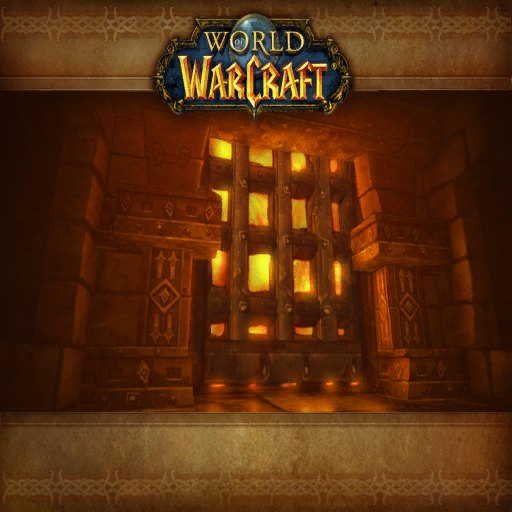
Art: Blackwing Lair loading screen · Blizzard Entertainment. Blackwing Lair, Nefarian's lair
0:00 / 10.2s
Where you hear it
nefarianaggro.ogg is the speech Nefarian gives when he finally lands for the last phase of Blackwing Lair. Up to that point, the raid has fought waves of drakonids while he watches in the guise of Lord Victor Nefarius. Nefarian is Deathwing's eldest son and the master of Blackrock Spire. His separate class-call lines, which punish each class with a unique curse, made the fight infamous. The aggro speech lasts a little over ten seconds.
TriggerPlays when Nefarian lands to fight in the final phase of Blackwing Lair.
In the game client
| Client path | sound/creature/nefarian/nefarianaggro.ogg |
|---|---|
| FileDataID | 556362 |
| Expansion | Classic |
| Game versions | Retail, Classic, Forever |
| Duration | 10.2s |
| Sample rate | 22,050 Hz |
| Channels | Mono |
| Loudness | -15.2 LUFS |
| MP3 size | 235 KB |
| M4R size | 126 KB |
| OGG size | 46 KB |
Other nefarian sounds in the client
- Nefarian death
sound/creature/nefarian/nefariandeath.oggFDID 556356 - Nefarian raise skeleton
sound/creature/nefarian/nefarianraiseskeleton.oggFDID 556380 - Nefarian napalm strike
sound/creature/nefarian/nefariannapalmstrike.oggFDID 556382 - Nefarian x health
sound/creature/nefarian/nefarianxhealth.oggFDID 556384 - Nefarian slay
sound/creature/nefarian/nefarianslay.oggFDID 556394 - Nefarian Blackwing Descent omnitron spell 02
sound/creature/nefarian/vo_bd_nefarian_omnitronspell02.oggFDID 556311 - Nefarian Blackwing Descent attack crit 02
sound/creature/nefarian/vo_bd_nefarian_attackcrit02.oggFDID 556312 - Nefarian Blackwing Descent attack crit 04
sound/creature/nefarian/vo_bd_nefarian_attackcrit04.oggFDID 556313
Use it as
Notification sound
Over a text, a ten-second boss line is unmistakable, though at 10.2 seconds it is best saved for the alerts that matter.
Discord soundboard
The full Nefarian Aggro clip runs 10.2 seconds, past a 5.2-second soundboard slot, so cut the most recognisable part.
iPhone
- Tap iPhone ringtone (.m4r) above and choose Download.
- Open the Files app, go to Downloads and open the file.
- Tap Share, then Use as Ringtone (iOS 26).
- Pick it in Settings, Sounds & Haptics, Ringtone or Text Tone.
Android
- Tap Download MP3 above.
- Open Settings, Sound & vibration, then Phone ringtone or Default notification sound.
- Tap My sounds, then +, and pick the MP3 from Downloads.
Windows
- Windows sound schemes only take WAV files, so convert the MP3 to WAV first (Audacity or any audio converter does it in one export).
- Open Settings, System, Sound, More sound settings, then the Sounds tab.
- Pick an event such as Notification, click Browse, choose the WAV, then Apply.
OBS alert
- Download the MP3 above.
- In your alert tool (Streamlabs or StreamElements) set it as the alert sound file.
- Or in OBS add a Media Source with the MP3, untick Loop, and fire it with a hotkey.
Related sounds


On TheWoWDB
Appears inCreature and Boss Sounds
Audio © Blizzard Entertainment. Fan reference, not affiliated.